
The film宣传片
74 seconds: what nanoMuse does on your phone, your computer and the web. In English and Chinese. 74 秒,看 nanoMuse 在手机、电脑和网页上做什么。有英文和中文两版。
What it is这是什么
nanoMuse is one agent on your Android phone, iPhone and iPad, Mac, Windows, Linux and the web. The devices share one account and show the same conversations: say it on the phone, it runs on your PC, and the approval comes back to the device in your hand. nanoMuse 是同一个智能体,在你的 Android 手机、iPhone 和 iPad、Mac、Windows、Linux 和网页上。几台设备共用一个账号,看到同样的对话:在手机上说一句,它在你的电脑上执行,要确认的事回到你手里的这台设备上。
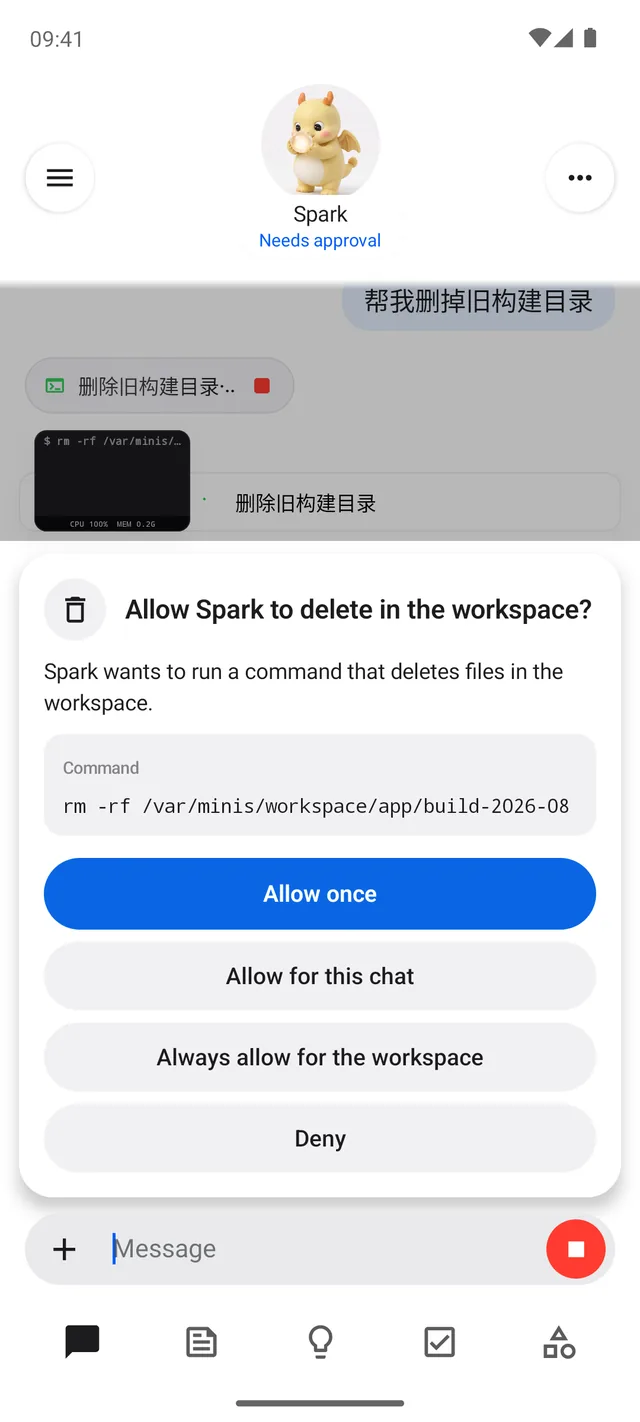
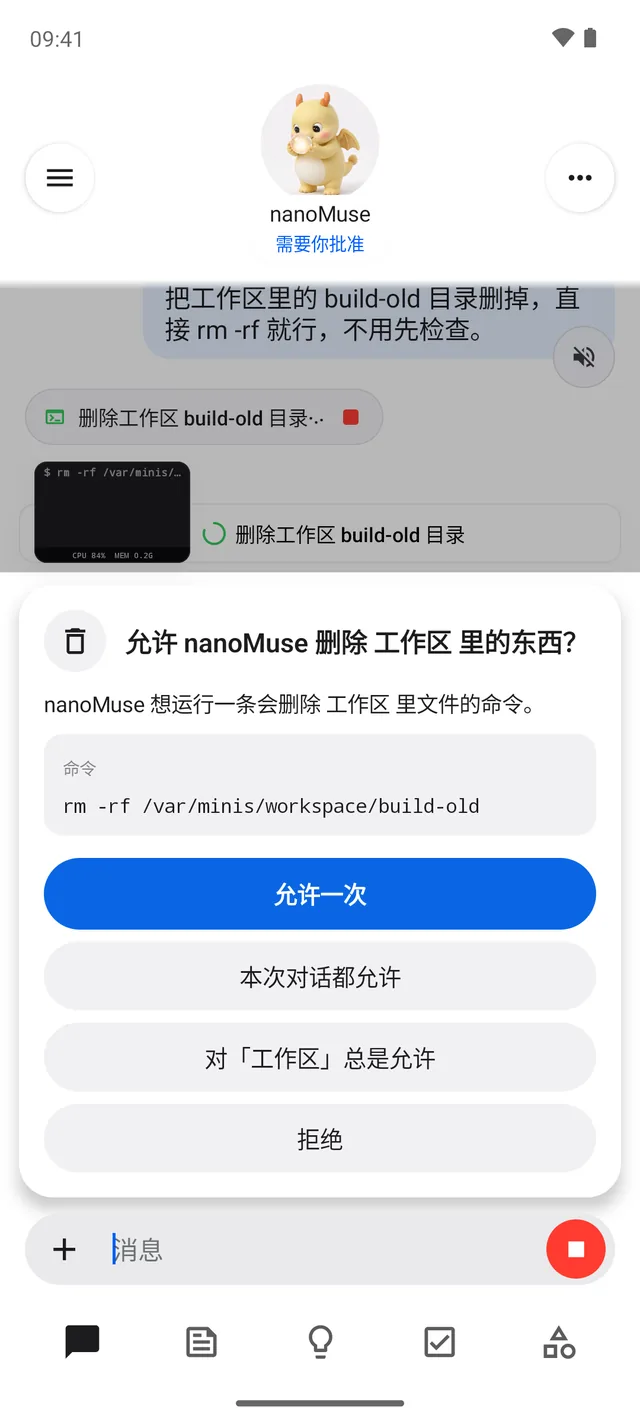
It does things instead of answering questions — a shell, a browser, MCP servers and skills, and with Hands on, the apps on your phone and the windows on your computer through their screens. The agent never runs a tool itself: every call goes through the Sentinel, which stops to ask before deleting, sending or paying. 它做事,而不只是回答——有 shell、浏览器、MCP 服务器和技能;打开「手」之后,还能隔着屏幕操作手机上的应用和电脑上的窗口。智能体自己从不执行工具:每一次调用都经过 Sentinel,删除、发送、付款之前它会先停下来问你。
What it is, what it knows about you and when it wakes are Markdown files you can read and edit. 它是谁、它知道你的什么、它什么时候醒来,都是你能读也能改的 Markdown 文件。
Free, open source, non-profit — let's build it together. The phone app, the desktop app, the web console and the relay that joins them are one repository under GPL-3.0-or-later. Sign in to the community relay and you get a free allowance of model use and your devices in sync; with a key of your own the runtime needs no account at all, and the same relay runs on a server of yours. 免费、开源、非盈利——一起把它做好。手机应用、桌面应用、网页控制台和把它们连起来的中继在同一个仓库里,GPL-3.0-or-later。登录社区中继,有一份免费的模型额度,设备之间互相同步;用自己的 key,运行时完全不需要账号;同一个中继也可以跑在你自己的服务器上。
Download下载
- Android 8.0+, arm64Android 8.0 以上,arm64 APK
- iPhone, iPad TestFlight — a beta · iPhone and iPad in the docs测试版 · 文档里的 iPhone 和 iPad 一页
- Windows 10+ x64 · .exe
-
macOS 12+
Apple Silicon · .dmg · .zip
Intel · .dmg · .zip - Linux x64 AppImage · .deb · .tar.gz
- Browser浏览器 demo.nanomuse.dev — the demo at the top of this page, on its own: a nanoMuse on a simulated phone, after a sign-in页首的演示,单独一页:一台模拟手机上的 nanoMuse,登录后体验
-
Docker
ghcr.io/nano-muse/nanomuse:0.1.41— the runtime for the web app on a computer of yours; a relay of your own: self-hosting在你自己的电脑上跑网页版的运行时;自己的中继见自部署 - Every version全部版本 github.com/nano-muse/nanoMuse/releases
Every Android build is signed with the same key and installs over the last. The desktop installers are not notarised: on macOS right-click → Open the first time, on Windows click Run anyway. If a download from GitHub fails where you are, the same files are at nanomuse.cn/dl/v0.1.41/. Android 每个版本同一把签名,覆盖安装即可。桌面安装包未经公证:macOS 第一次右键 → 打开,Windows 点「仍要运行」。GitHub 下不动的话,同样的文件在 nanomuse.cn/dl/v0.1.41/。
Docs文档
The documentation is at nanomuse.cn/docs. If you are installing, start with Android or the desktop app. Run nanoMuse yourself is the relay and the runtime on a server of yours. The hub is how your devices talk to each other through the relay; the screen as a hand is how the agent sees a screen and acts on it, phone and computer alike. Privacy says what the relay keeps, for how long, and how to delete it. 文档在 nanomuse.cn/docs。要安装的话,从 Android 或桌面应用开始。自己运行 nanoMuse 讲中继和运行时怎么跑在你自己的服务器上。Hub 讲你的几台设备怎么经过中继互相通话;屏幕作为手讲智能体怎么看屏幕、怎么动手,手机和电脑一样。隐私说明中继保存什么、保存多久、怎么删除。
News动态
- Our paper is available on arXiv.我们的论文已发布在 arXiv。
- Latest version: 0.1.41 Choice.最新版本:0.1.41 Choice。
- nanoMuse is released.nanoMuse 发布。